
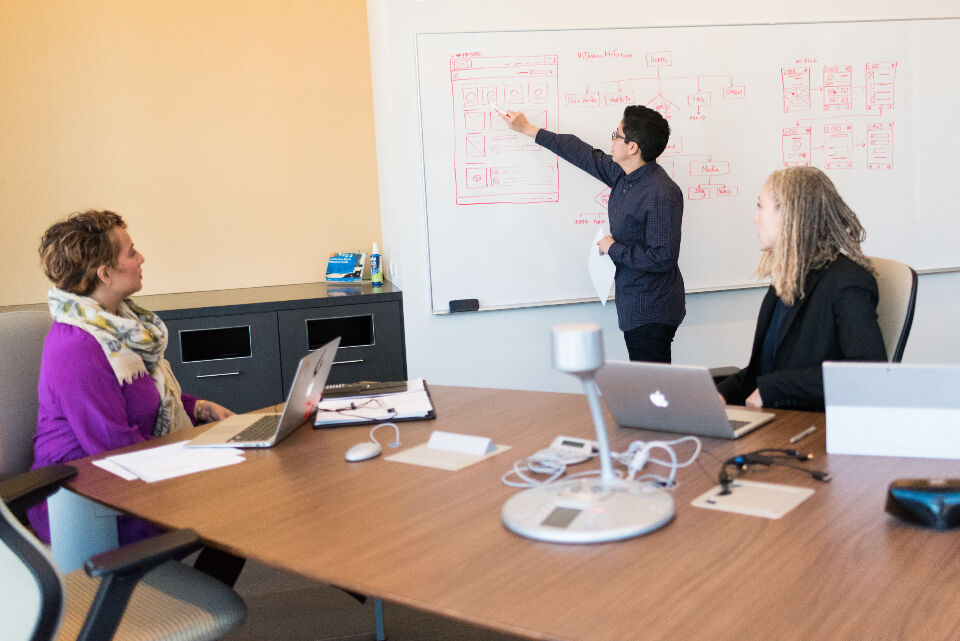
Every new app or website looks clear to the people who built it. The team knows where every button sits and what every label means. Real users arrive with none of that knowledge. Watching a few of them try your product is one of the cheapest ways to find problems early.
This kind of check is called usability testing. It does not need a lab or a big budget. It needs a plan, a few willing people and a team that is ready to listen.
What usability testing is
Usability testing means watching people use a product or service while they think out loud. The US Government’s digital.gov usability testing guide describes it as a way to see how users work through a product. It shows how intuitive a design is and how well it fits what users need. You see where people hesitate, where they get lost and where they give up.
You can test long before anything is finished. The digital.gov guide notes that a sketch or a prototype can be tested. You can even test a competitor’s product to learn what frustrates people already. Early testing is cheaper, because a sketch is easier to change than finished code.
Why opinions from the team are not enough
Designers and developers know too much about their own product. They read labels the way they meant them, not the way a stranger reads them. Clients and managers often have strong views as well. A short session with a real user can settle a debate that has run for weeks.
Good design principles still matter. A list like these web design principles for business websites gives you a strong starting point. Testing shows whether those principles worked for the people you are building for. It turns a checklist into evidence.
Planning a test
Start by choosing what to test. Pick the tasks that matter most for users reaching their goals. For an app, that might be signing up, finding a setting or completing a purchase. For a business website, it might be finding a price or sending an enquiry form.
Agree on the plan as a team before any sessions start. Decide which scenarios to focus on, which users to include and how to find them. Choose who will moderate and who will observe. Then write a simple test script so each session runs the same way.
Write tasks as realistic goals, not instructions. Asking someone to click the pricing tab tells them the answer. Asking them to find out what the basic plan costs shows whether they can find it alone. Keep the wording plain and avoid using the same labels that appear on screen.
Finding the right people
The people you test with should match the people who will use the product. Friends and staff are easy to find, but they often know too much. Try existing customers, people from your mailing list or members of a local group. Give them a simple way to sign up and a clear time slot.
Explain what taking part involves before the session. The digital.gov guide suggests sharing a participant agreement for this purpose. Cover how long it takes, if you will record it and how you will share links or files. Remote sessions also need clear instructions about screen sharing.
Include people with disability where you can. The W3C Web Accessibility Initiative says testing with disabled and older users reveals problems that conformance checks alone miss. It also notes that this testing often uncovers general usability issues affecting everyone. Its advice is to include a range of people, because one person cannot speak for all users with a disability.
Running the session
The digital.gov guide puts each test at between 20 minutes and an hour. The moderator should get spoken permission before recording and ask the person to think aloud. Their job is to guide the session without giving away answers. When someone gets stuck, ask what they expected to happen rather than pointing at the screen.
Observers have a different role. They add each problem they see to a shared issues log. Questions go to the moderator quietly so the participant is not interrupted. After each session the whole team holds a short debrief while it is fresh.
Making sense of what you saw
Once the sessions are done, bring the team together to review the issues log. Look for problems that came up more than once. Group them by the task where they happened. Then agree on how the findings will shape the next round of design work.
Not every problem needs fixing straight away. Rank issues by how often they happened and how badly they blocked people. A confusing label that stops sign ups matters more than a colour someone disliked. Fix the biggest problems first, then test again to check the fix worked.
Some issues will be about content rather than layout. People may not understand a heading or may look for information that is missing. Feed these findings into your content strategy so pages answer the questions users actually ask. Product pages often show the same pattern, and clear product photography with good lighting can help people judge an item.
Building testing into client projects
For web designers and freelancers, testing works best when it is agreed at the start. Write it into the project scope so the client knows when sessions will happen. State who recruits participants and how many rounds of changes are included. A clear service delivery agreement for web designers can cover this and stop scope arguments later.
Testing also gives clients confidence. They can watch a session and see problems for themselves. That often makes feedback rounds shorter and calmer. It moves the conversation from personal taste to what users really did.
Frequently asked questions
How many people do I need for a usability test?
There is no single right number for every project. A few well chosen participants will usually reveal the most obvious problems. The W3C notes that results from a small group cannot be applied to everyone. Small rounds repeated often tend to teach more than one large study at the end.
Can I test before the app or website is built?
Yes, you can test sketches, paper mockups and clickable prototypes. Early testing is cheaper because changes are easy at that stage. You can also test a competitor’s product to learn what users find hard. Then keep testing as the real product takes shape.
Does usability testing replace an accessibility audit?
No, the two work together. The W3C says involving users alone cannot determine whether a website is accessible. It recommends pairing user testing with evaluation against the Web Content Accessibility Guidelines. You can read more in its guide to involving users in evaluating web accessibility.